
Security and Logs
Block unwanted traffic, rescue mistyped links using the 404 log, and see what changed and when.
Two pages help you keep your traffic clean and work out why something is not behaving as expected: Blocked IPs and 404 Log. You do not need to check them daily — they are there when a number looks wrong.
Blocked IPs: stop unwanted repeat traffic
An IP address is the number that identifies a device on the internet, like a return address on an envelope. When one address keeps hitting your links in a way that is clearly not a real customer, you can block it so those clicks stop affecting your numbers.
To block one, open Blocked IPs and fill in the two boxes:
- IP address — the address you want to block.
- Reason — a short note for your future self, such as
bot hitting spring sale link. Nobody else sees it, but in three months you will be glad it is there.
Then click Block. To undo it later, click Remove on that row.
When blocking is the right move:
- One address produced dozens or hundreds of clicks in a very short time.
- Click totals jumped while nothing was actually being promoted.
- You are running a split test and want automated traffic out of the results.
Where do you find the address? Use the Clicks drill-down on the Dashboard or a link's Reports page to see the addresses behind individual clicks.
404 Log: links people tried that do not exist
"404" is the standard web code for "page not found". This page lists short-link paths that visitors requested on your domains where no matching link exists.
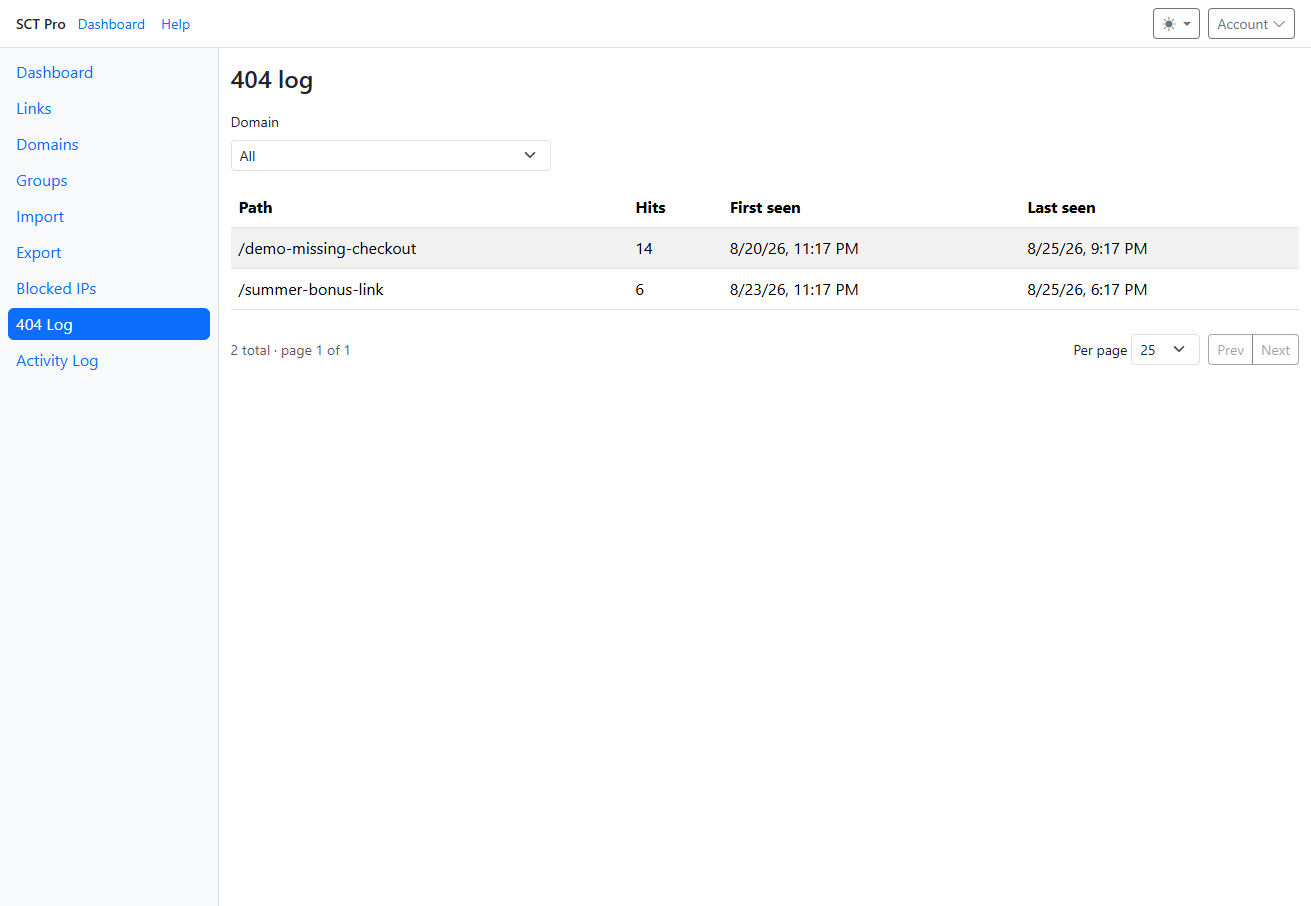
- Path — what the visitor asked for.
- Hits — how many times. This is the important column.
- First seen / Last seen — when it started and whether it is still happening.
- Domain filter at the top — narrow the list to one of your domains.
How to read it:
- A path with many hits is real traffic you are losing. Usually it means a link was deleted, renamed, or published with a typo. Fix it by creating a link with exactly that path pointing where those visitors should go.
- A path that looks like your link but slightly off means the wrong address got into an email, post, or printed piece. Creating a link at the wrong spelling rescues that traffic.
- Lots of random paths with one hit each is usually automated scanning. Ignore it. Obvious scanner paths (for example
wp-login.phpor.env) are not stored, and each domain keeps a limited number of distinct 404 paths so a scan cannot flood the list.
All dates on these pages use the time zone from your Account page.